- A dashboard is a type of graphical user interface
which often provides at-a-glance views of key performance indicators (KPIs) relevant to a particular
objective or business process. In other usage, "dashboard" is another name for "progress report" or "report."
- Under this section the user will get an access to
view the the following progress
- Progress of ongoing campaign
- Low credit accounts for each selected
channel
- All these activities are graphically predicted to
a user with the relevant numeric values.
- If an account has only the selected channel, other channels will get hidden in the dashboard.
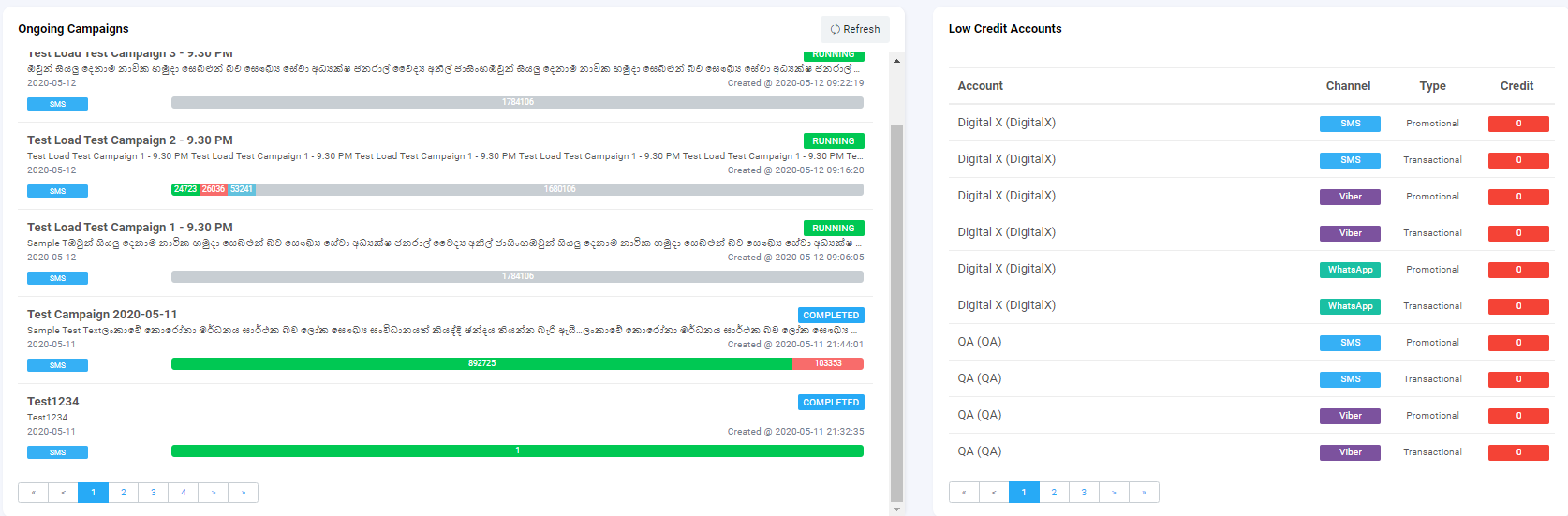
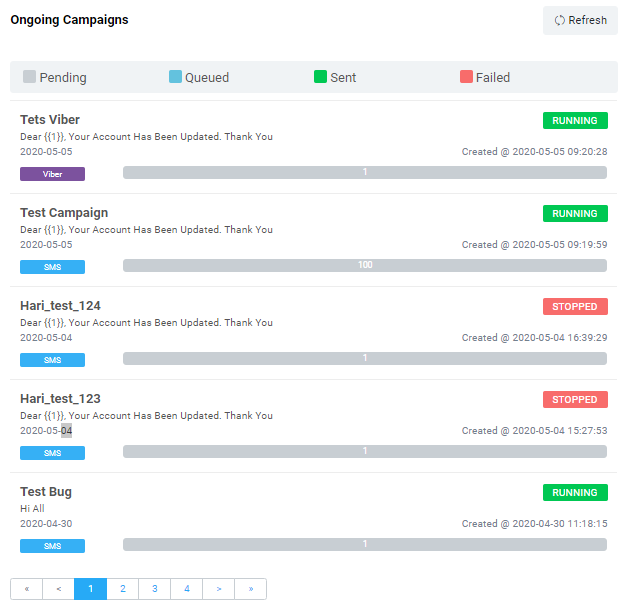
- Under this section, the user can view the status
of ongoing campaign with their relevant statuses
- Each status will be depicted in a different color
which is as follows
- Queued Messages - Blue
- Sent Messages - Green
- Message Paused - Yellow
- Pending for Delivery -
Grey
- Delivery Stopped - Red
- Messages Running - Green
- Sending Failed - Red
- Users can view the campaign depicted with a
progress bar in the above-mentioned color.
- The following information can be
viewed
- Campaign Name
- Campaign Message
- Campaign Channel - SMS, Viber and
WhatsApp
- Date the campaign was created and time
- Progress bar - Progress bar depicting
total no of messages Pending
- Overall status of the campaign
- Each user will get access to view their own
account campaign status
- The user is able to refresh the section using the refresh button
- Refer screen below for more information -
- It is the next section of Ongoing campaign which
is in the right side
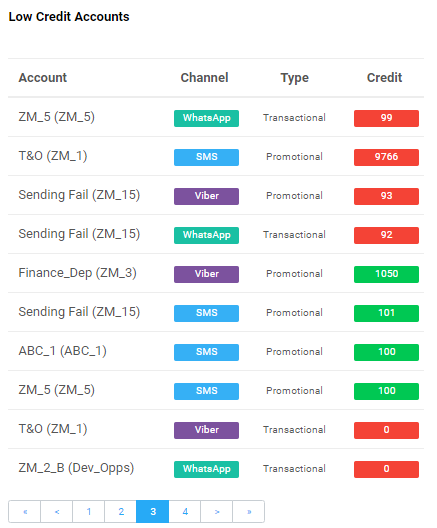
- User can view the following information
- Account name
- Channel - WhatsApp, Viber, SMS
- Type - Promotional,
Transactional
- Remaining Credit
- If the credit limit for an account is low or
finished, the account will come to the top level to notify the main administrator about the insufficient
credit limit
- Color-based credit limit analysis
- Red - Very low/ No
Credit
- Yellow - Credit
limit
is about to finish, Medium credit limit
- Green - Required credit
limit
is available.
- Each user will get access to view their own
account credit status and low credits accounts.
- Each account will be listed down from lowest to the highest
- Refer screen below for more information -